
Node.js on Unbroker
Deploy from your repository. Keep your API, database and deployment logs in one project.
Deploy a Node.js app PostgreSQLApplication data
Deploy from Git
Connect your repository, select the Node.js preset and use your application’s start script. Enable automatic deployments to deploy pushes to your connected GitHub branch. Build output, runtime logs and previous deployments are available on the service in Cloud.
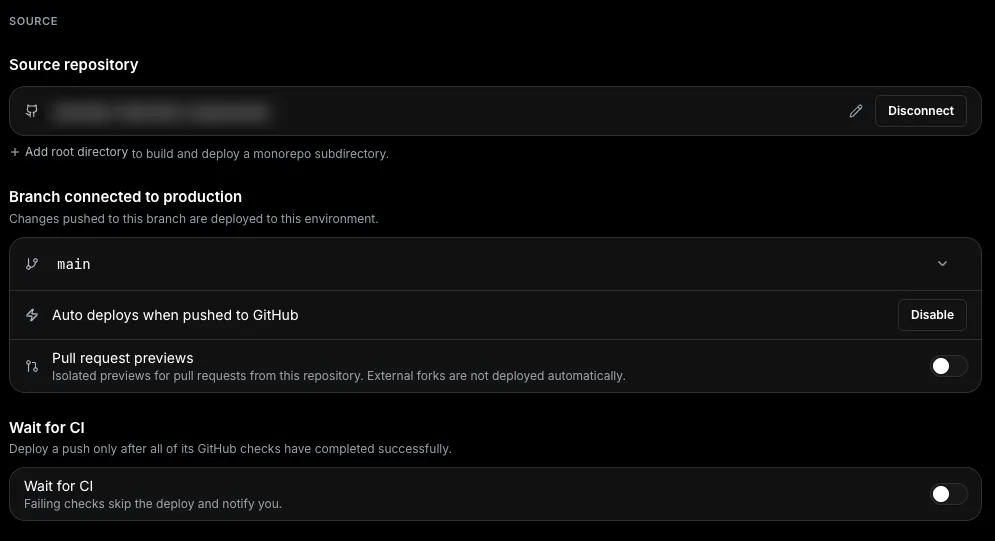
Source settings in Unbroker Cloud. Pull-request previews require Pro.
PostgreSQL and background workers
Connect a private PostgreSQL node for application data. Add a worker on Pro for queue consumers or asynchronous jobs, with its own start command and logs. Your API, database and worker stay together in the project.
If you need full control over the runtime, deploy a Dockerfile on Pro instead of the Node.js preset. You can operate the same services from Cloud or through the ubctl CLI.
Runtime requirements
Your server must listen on 0.0.0.0 and the port configured for the service. Keep credentials in environment variables and shared state in a database when using multiple replicas.
The Node.js deployment tutorial includes a minimal server and a check to verify that the deployed application responds.